Access Digital Banking on Desktop or Mobile
Bank your way—whenever and wherever it’s convenient. Access Cabrillo Credit Union’s Digital Banking from your computer at CabrilloCU.com, or use the Cabrillo Credit Union Mobile App on your mobile device.
Simply log in from our website or the mobile app and follow the on-screen steps to get started.
Step-by-Step Enrollment Guide
Once the new Digital Banking experience is live, follow these simple steps to get started.
- Start from the Website or Mobile App
On a computer, visit CabrilloCU.com and login as you normally would with your North County Credit Union user name and password. Click Secure Login and you'll be taken to the getting started login screen where you'll verify your personal info.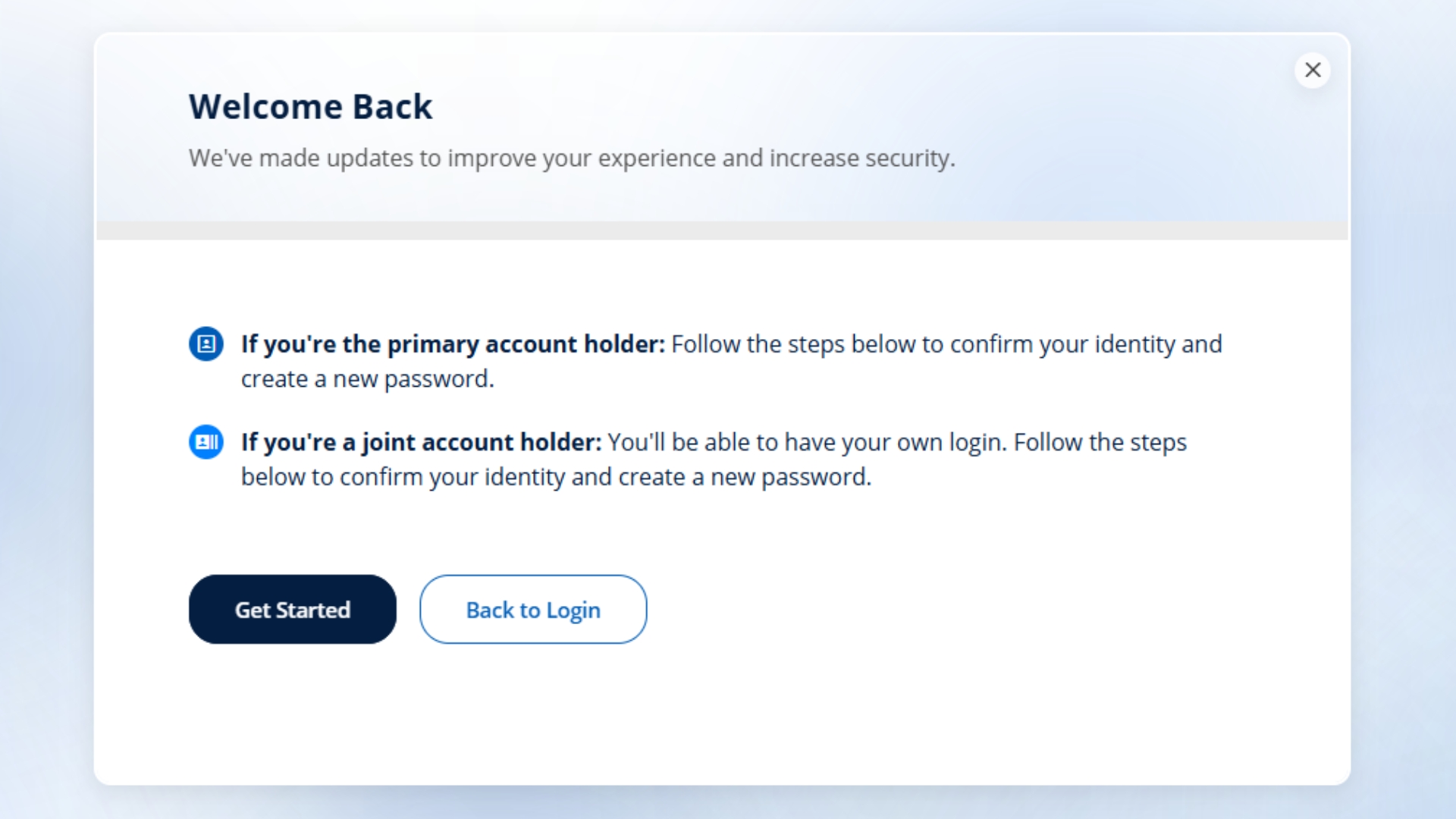
- Verify Your Personal Info and Identity
To enroll, you’ll be asked to provide:
- Your First and Last Name
- Your Date of Birth
- Your Social Security Number
Enter this information and select Continue. Choose how you’d like to receive a one-time confirmation code to authenticate — via text message, voice message, or email. Confirm your contact source, then enter the code you receive and tap Continue to verify.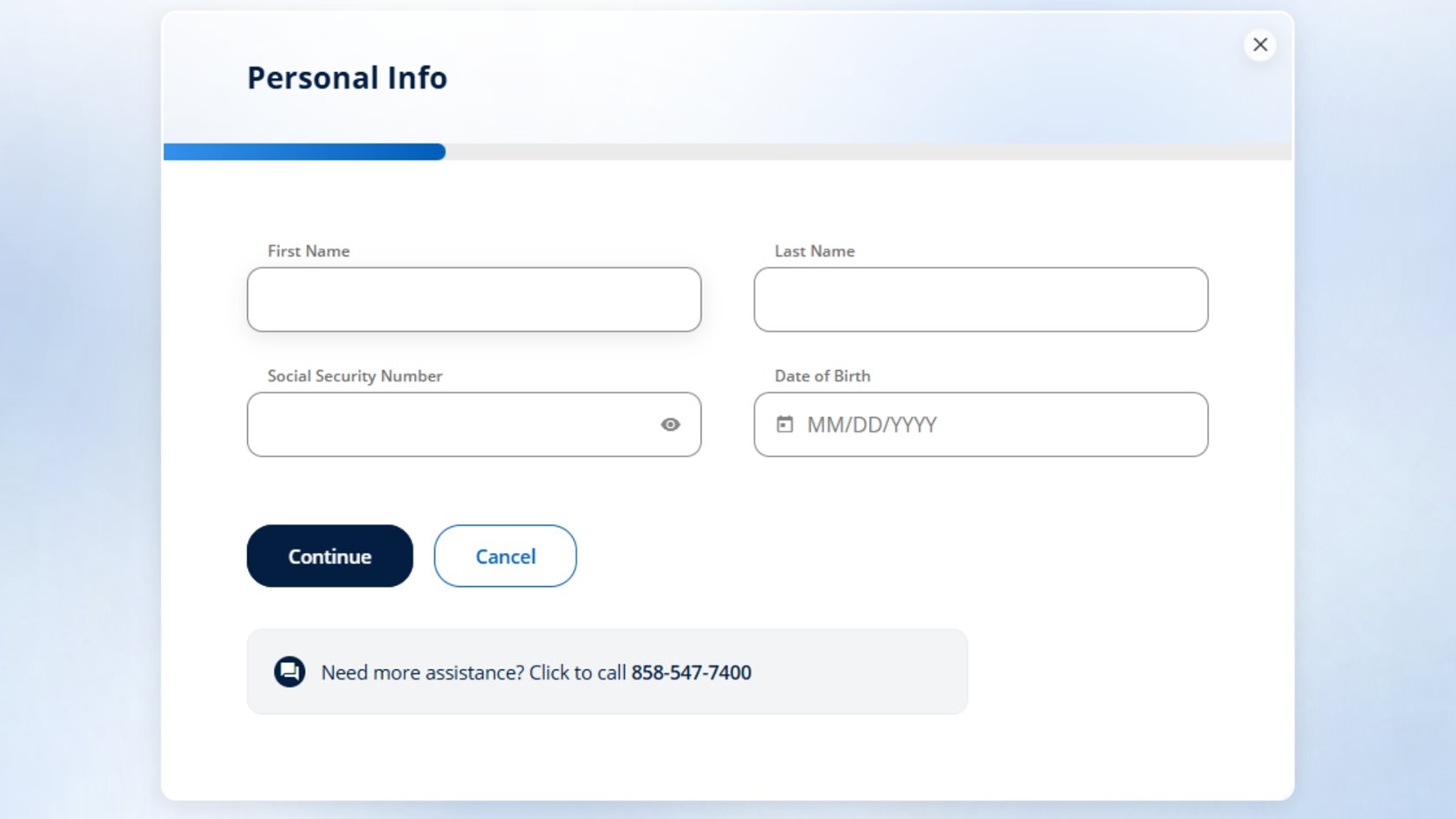
-
Authenticate your account by entering the verification code sent to your preferred communication method. Tap Next. 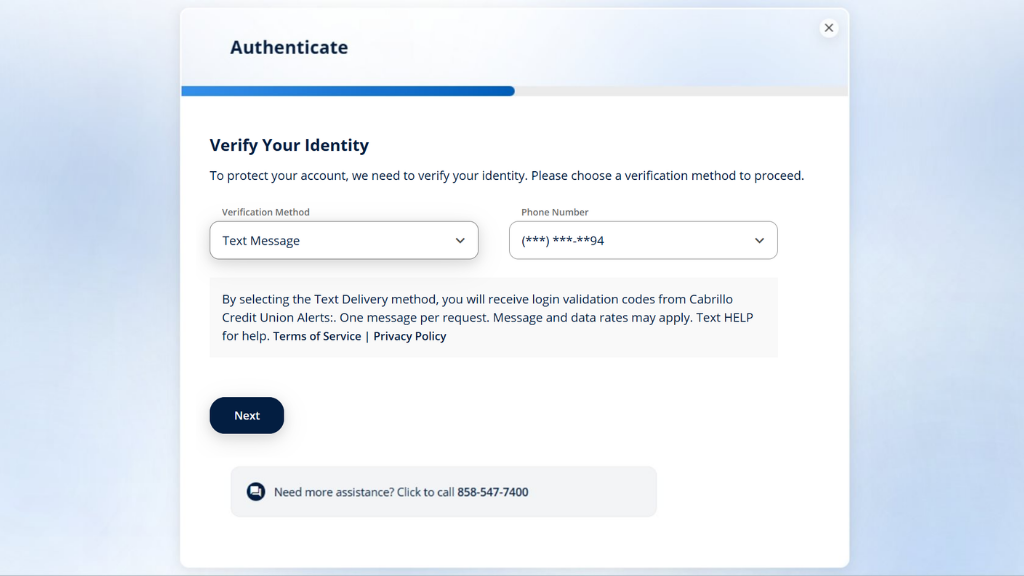
- Reset and Select your Password
Once you confirm your verification code, select and confirm your new password and tap Next. These will be the credentials you use to access Digital Banking going forward.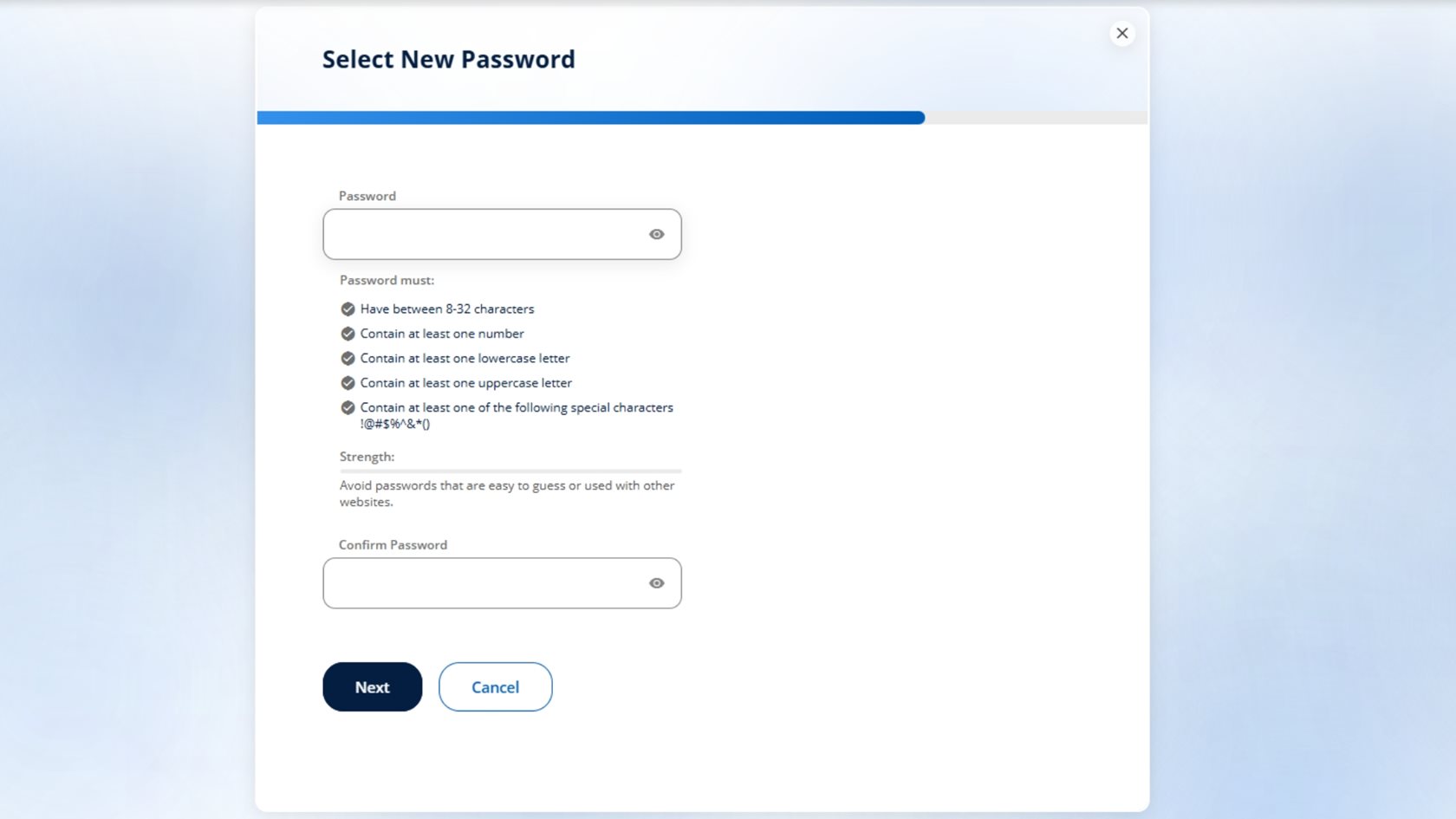
- Review and Accept the Legal Agreements
Review the Online Banking Disclosure. When you’re ready, select Accept & Continue to move on.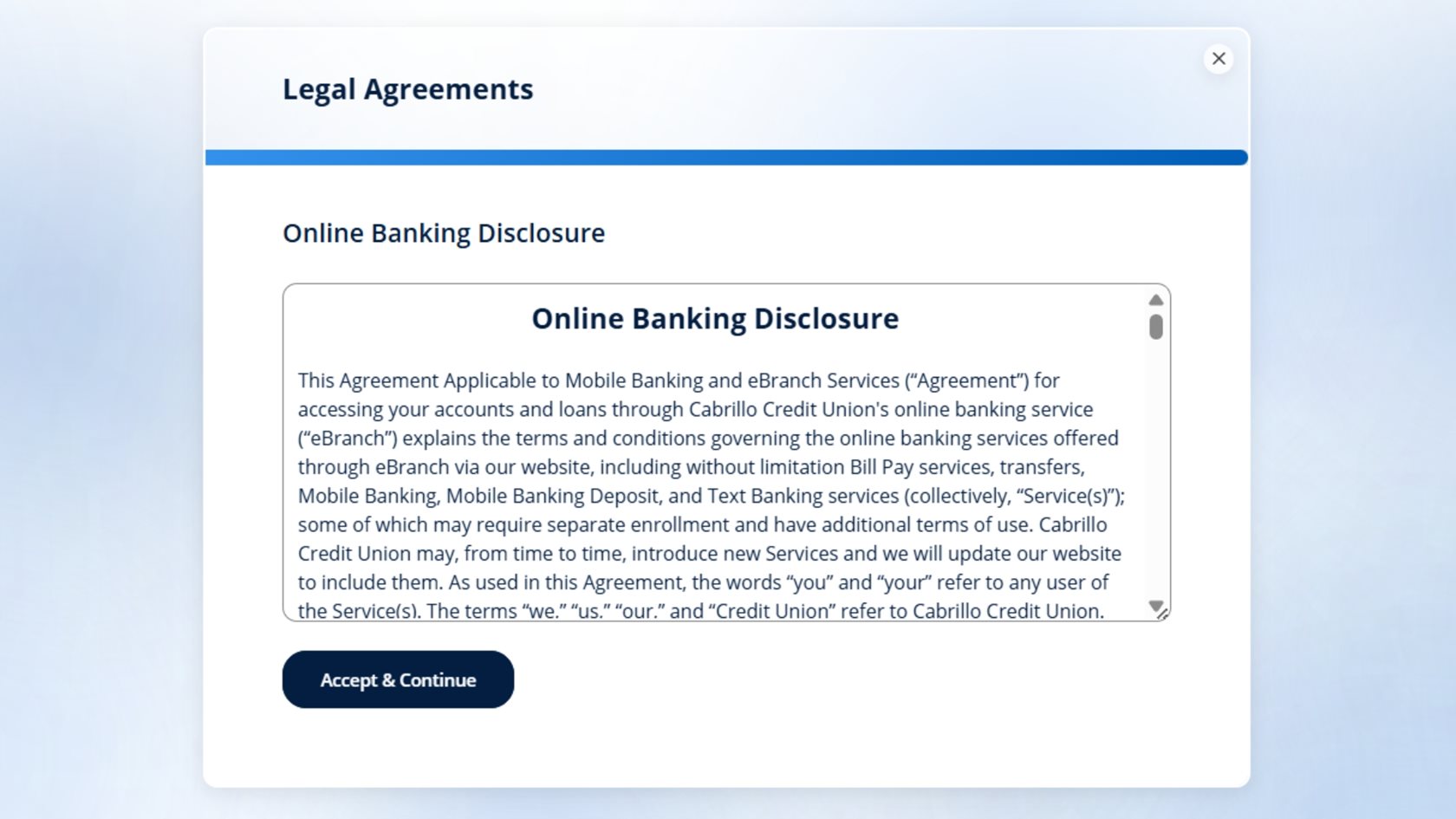
- Review Your Contact Information
Review your contact information on file. If everything looks correct, click Confirm to complete your enrollment. If anything needs to change, click the pencil to edit.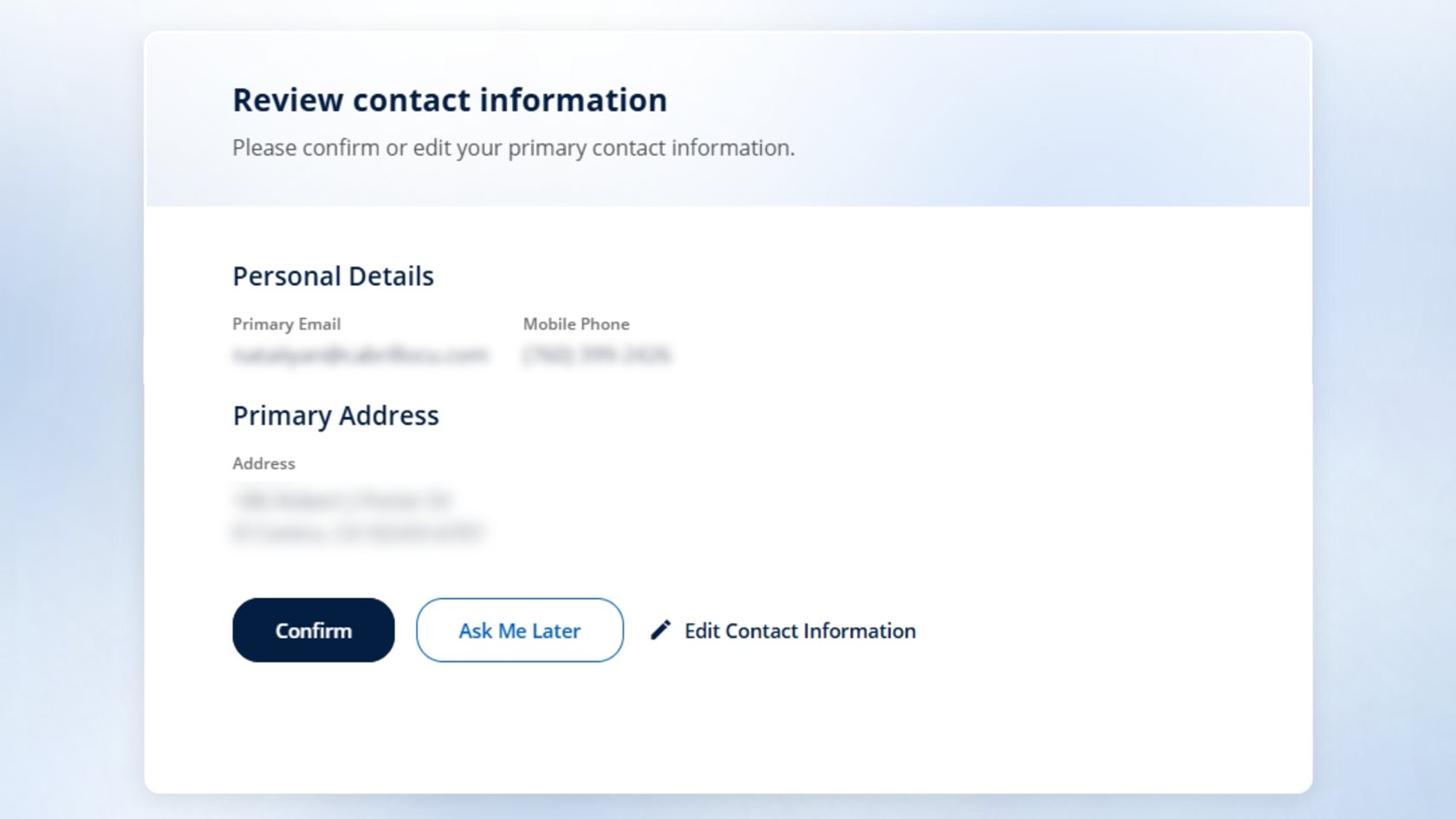
- Start Using Digital Banking
That’s it — you’re now enrolled in Cabrillo’s Digital Banking platform. You can begin depositing checks, paying bills, transferring funds, using Card Controls, and more — all in one convenient place.
Need Help?
If you have questions during activation, our team is here to help.
Step-by-Step Enrollment Guide (Never Enrolled in Online Banking before)
If you have never enrolled in North County Credit Union's Digital Banking platform, follow the steps below.
Both the website and mobile app will take you to the same Digital Banking enrollment screen. Choose the option that’s easiest for you.
- Start from the Website or Mobile App
You can begin on a computer or your mobile device.
- Website: Visit CabrilloCU.com and select Secure Login.
- Mobile App: Download the Cabrillo Credit Union mobile app from the App Store or Google Play. Open the app to get started.
Both options will take you to the Digital Banking enrollment screen.
- Verify Your Personal Information and Identity
To enroll, you’ll be asked to enter the following information:
- Your Social Security Number
- Your date of birth
- Your first and last name
After entering your information, select Continue. Choose how you’d like to receive a one-time verification code, such as text message, voice call, or email. Confirm your contact method, enter the code you receive, and select Next to authenticate your account.
- Create Your Username and Password
Once your verification code is confirmed, you’ll be prompted to create a new username and password using the requirements provided on screen. These credentials will be used to access Digital Banking going forward. After entering your information, select Register.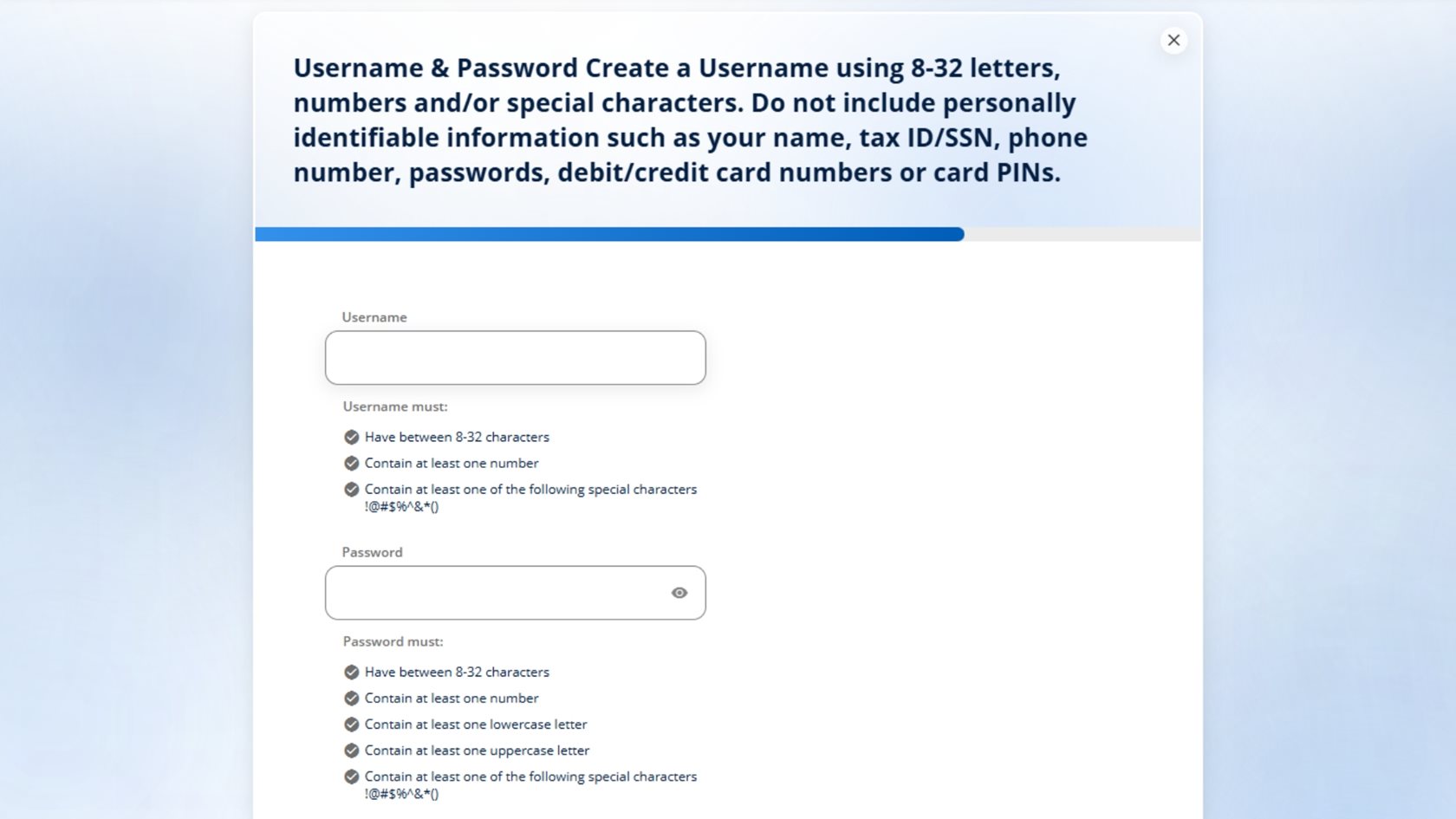
- Review and Accept the Legal Agreements
Next, you’ll review the Online Banking Disclosure. When you’re ready, select Accept & Continue to proceed.
- Confirm Your Contact Information
Review your contact details and address on file. If everything is correct, select Confirm. If any updates are needed, you can edit the information before confirming.
- Get Started with Digital Banking
Once confirmed, you’ll be welcomed into the new Digital Banking onboarding experience. Click Next to learn what’s new and start enjoying your enhanced Digital Banking features. You’re now ready to begin using Digital Banking to deposit checks, pay bills, transfer funds, manage cards, and more anytime, anywhere..png)
-
After registration, sign in and explore:
- Bill Pay to manage and schedule payments
- Zelle® for fast, secure person-to-person payments
- Card Controls to lock/unlock your card and set limits
- Direct Deposit to help you get paid faster
- eStatements and digital documents
- Financial wellness tools, including credit score insights and spending analysis
Need Help?
If you have questions during enrollment or trouble receiving your verification code, please contact us. We’ll help guide you through the registration process.
Explore the New Dashboard
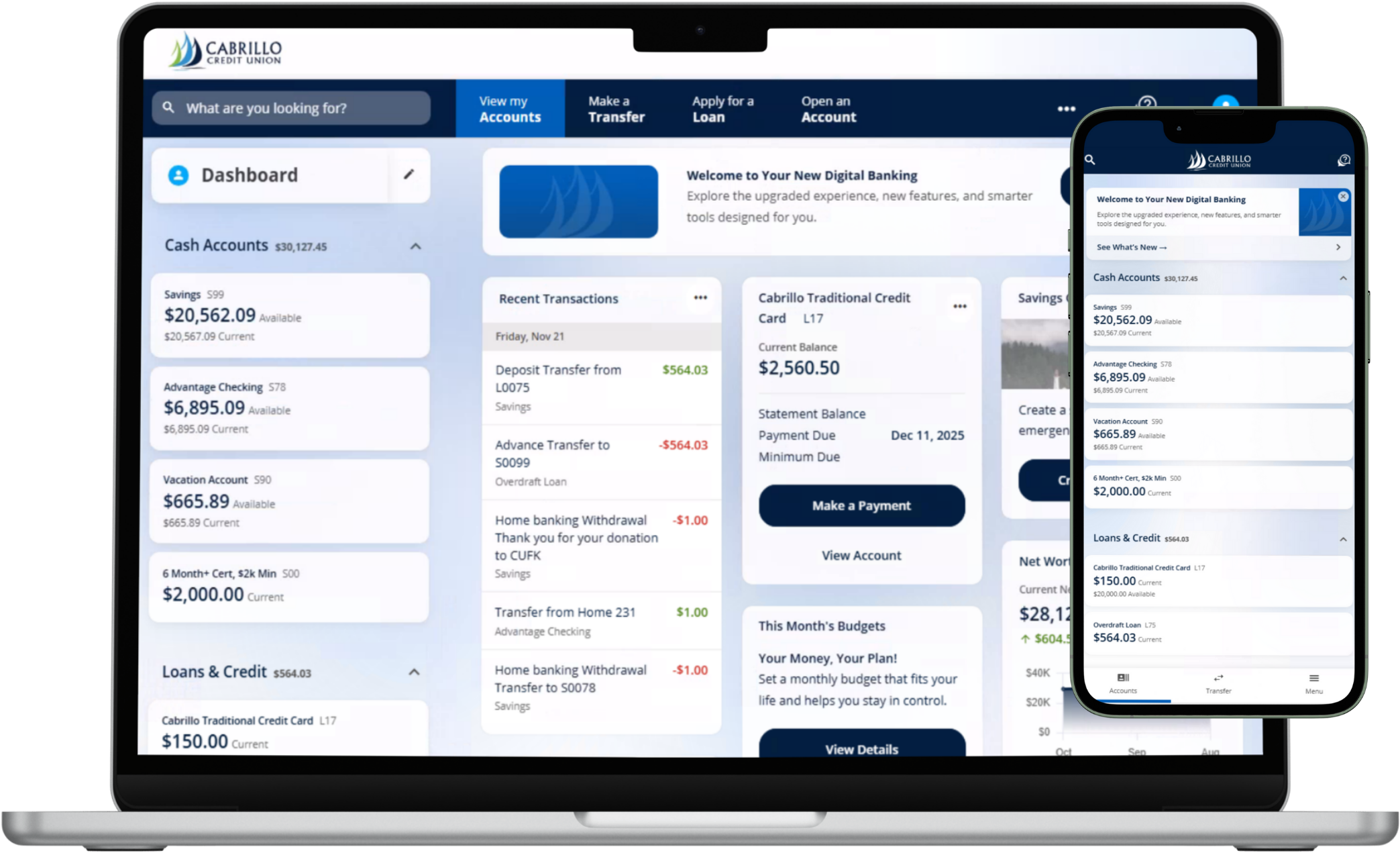
That’s it—you’re now enrolled in Cabrillo Credit Union’s upgraded Digital Banking platform. From here, you can deposit checks, pay bills, transfer funds, use Card Controls, and manage your accounts—all in one convenient place.
Ready to explore? Log in, take a look around, and enjoy a simpler way to bank—right from your desktop or the mobile app.
Once you’re logged in, take a moment to review your accounts and balances, confirm your Bill Pay payees and scheduled payments, and check any existing transfers.
After logging in, take a moment to review:
Review Your Accounts and Balances
- Your Bill Pay
- Your transfers and scheduled activity
Re-Enroll in Alerts & Tools
In the upgraded platform, you’ll need to re-enroll in:
- Account alerts
- MyCreditScore
- Personal Financial Tools
How-to Video FAQs & Resources
Your new Digital Banking experience is here—built to help you bank more smoothly, access tools faster, and manage everything in one convenient place.